
My 30+ year old garage door opener died and needed to be replaced over the weekend.
Chamberlain/LiftMaster/Craftsman are the same company: The Chamberlain Group. Owned by private equity, they’ve done everything within their power over the last few years to prevent homeowners from using their garage door openers with open smart home platforms. It’s an old story, but it’s made Chamberlain one of the most hated companies in America in tech circles, right up there with Intuit.
They just don’t want homeowners opening, closing, or viewing their garage doors’ status in anything that isn’t their official “MyQ” app. Home Assistant, HomeKit, and Google Home users are not welcome.
Late last year Chamberlain upgraded their openers’ Security+ from 2.0 to 3.0 with the ultimate goal of knocking third-party dry-contact triggers like Ratgdo and blaQ off the market once and for all.
Security+ 3.0 Changes
Security+ 3.0 fundamentally changes the way that garage door openers have functioned for decades. 3.0 openers can’t be triggered by shorting two wires. In fact, the wires that lead to your garage door’s wall-mounted controller are now just used to provide power to the button – they don’t do anything else. The wall controller triggers your opener by sending an encrypted wireless signal via Bluetooth Low Energy. It’s all documented here. They’ve essentially turned wall-mounted garage door openers into powered remote controls.
You can’t buy a non-3.0 opener in 2026, and openers made by other companies just aren’t that great, so you’re kind of stuck. I knew what I was getting into when I told the garage door guy “Fine, install it. I’ll find some way to make it work with Home Assistant later.”
The Solution
Less than 24 hours after the installation, I was up and running with Home Assistant. I’m now able to both view the open/close status of the door, and trigger open/close actions whenever I want without having to install or use the MyQ app.
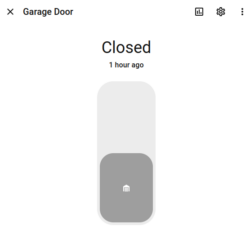
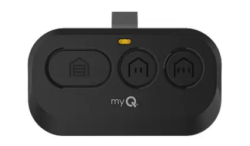
I had to give up a remote control for the cause, but it was a non-destructive sacrifice. Worth it.
The solution was this Smart Garage Door Opener (affiliate link) from ThirdReality. It’s $50 but was on sale for $40 when I picked it up.
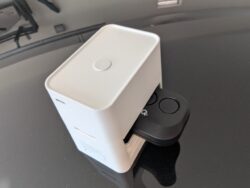
You insert a visor-style remote control from your opener into the base, and a little motor presses the button on that remote whenever you or your home automation system tells it to. It also includes a tilt sensor that you stick on your garage door to track open/close status.
You will need a spare remote control to go this route. If you don’t have one, you’ll need to buy one. (affiliate link)
Matter Limitations
ThirdReality’s solution is a Matter over Wifi device. The Matter standard only recently added a spec for garage door motors, and this device isn’t actually a garage door motor. It’s more like an actuator.
That means that when you add it to your smart home system, it’ll show up as a light. If the light is on, your garage door is open. Toggling the light on or off triggers the button press to open or close the door.
Home Assistant Setup
Luckily you can override how this sensor is presented within Home Assistant, making it look and behave like an actual garage door might. Because the one on the left is crazy:

Here’s how to get started in Home Assistant!
Go to Settings / Devices & services / Helpers / Create helper / Template / Cover
State:
{% if is_state('light.garage_door', 'on') %}
  open
{% else %}
  closed
{% endif %}
You’ll obviously need to replace “garage_door” with the name of your ThirdReality device.
Actions on Open:
Click Add Action / Light / Toggle.
Click Add Target and select the name of your ThirdReality garage light.
Actions on Close:
Click Add Action / Light / Toggle.
Click Add Target and select the name of your ThirdReality garage light.
Device Class:
Change to Garage.
Click Submit and you’re done! You’ve basically created an alias of the original light entity and you’ve told Home Assistant that it’s something that can be opened and closed.
Adding to Dashboards
When building your dashboards, you’ll want to insert the new “Cover” entity into your cards – not the original light entity.
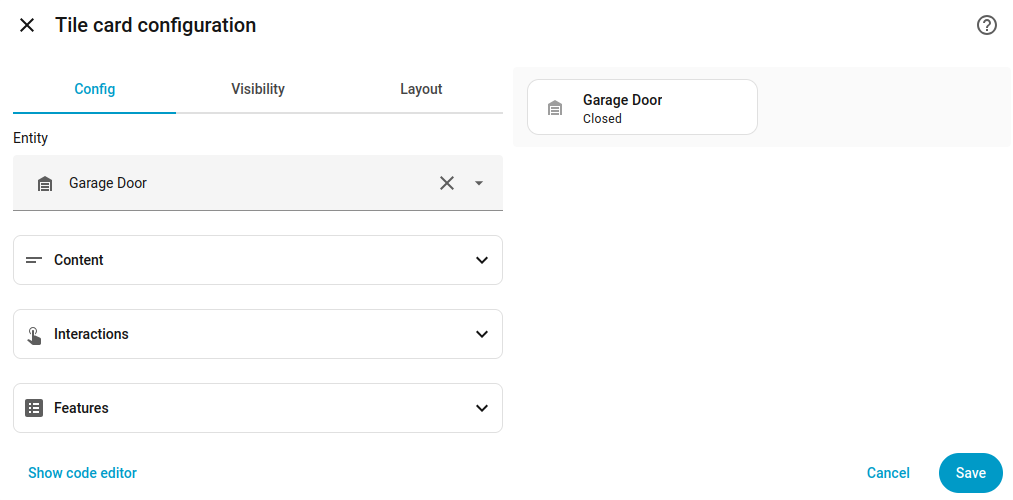
Hats off to ThirdReality for productizing this inelegant but effective solution. Maybe someday they’ll push a firmware update that removes the need for this workaround. Maybe not!
And maybe someday Chamberlain will take its head out of its ass. Probably not.